CustomShape
A shape of your own, composed with built-in shapes into a tape (see The tape), and called
from a GPU kernel written out by hand. The other examples run their queries through
GPU::transform(), which launches a kernel for them (see Running on a GPU). A kernel of
your own is how an application calls EBGeometry from inside its own device loops: a Kokkos
parallel_for, or a CUDA kernel that does other work too.
The source is at Examples/CustomShape/main.cpp. It reads from top to bottom in the
following sections.
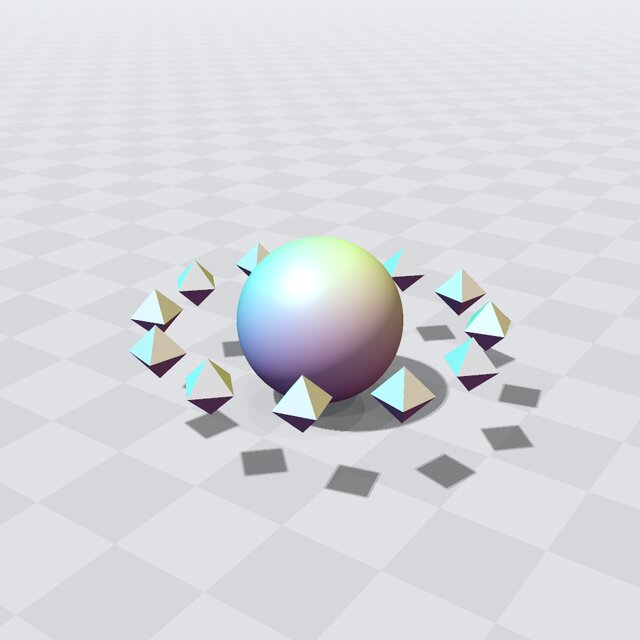
Fig. 31 The octahedra around the sphere: a tape with a shape of your own.
A shape of your own
The octahedron is an ordinary struct holding its size. It is trivially copyable, with an
EBGEOMETRY_HOST_DEVICE signedDistance() and computeBoundingVolume() and a static
distanceQuality that says its value is an exact distance. That is all a shape needs, and
isShape checks it at compile time (see Geometries):
static_assert(EBGeometry::isShape<Octahedron<T>>);
Inside device code it uses EBGeometry::Math::clamp rather than std::clamp (see
Writing device code).
The code that runs on either side
DistanceQuery is a trivially copyable functor whose EBGEOMETRY_HOST_DEVICE call operator
returns the scene’s value at one point. It holds the compiled
Tape by value, and the kernel receives it by value.
A kernel of your own
queryKernel runs the query once per point, one thread each, and runQuery launches it and
checks the launch and its completion with EBGEOMETRY_GPU_CHECK. This is the kernel that
GPU::parallelFor() and GPU::transform()
launch for the other examples. A kernel exists only when the file is compiled as CUDA or HIP; in a
plain C++ build runQuery does what each thread would, in a loop.
Building the scene
Twelve rotated copies of the octahedron sit on a ring around a sphere, and their union is compiled
into a Tape<T, Octahedron<T>>. The octahedron is listed after T because it is not a built-in
type. A union of thirteen objects is evaluated with a BVH over their boxes.
The tape is compiled straight into memory the device can read: managed memory
(managedMemoryResource()) in a GPU build with a device, which the host and the device can both read, and
emulatedDeviceMemoryResource(), host memory that stands in for a device, otherwise (see
the memory resources):
Pool pool(resource);                          // managed memory in a GPU build
const Tape<T, Octahedron<T>> tape(pool, scene);
pool.freeze();
const auto view = tape.rebasedView(pool);     // one handle for the host and the device
Freezing fixes the pool’s base, and a view onto the pool’s own memory holds that base by value, so a kernel can use it as well as the host (see Memory model). That suits a small object like this one, a few KB. Large geometry is better mirrored to device memory, as MeshSDF does: managed memory migrates between host and device as it is touched, and on AMD MI200-class GPUs it migrates only with XNACK enabled.
Using it on the host
The view is an ordinary shape on the host. The program prints its value at a few points: the centers of the sphere and of an octahedron, a point above an octahedron’s tip and one between two octahedra.
The same query in your own kernel
The grid of 64,000 query points and the results are reserved as PODVectors in a second pool in the same memory, so the kernel reads and writes them in place with no copies. The program prints how many grid points lie inside the scene. A GPU build that finds no device skips this part.
Looking at it
The example ends with Render::view(tape, pool, argc, argv): the renderer draws any shape, a tape with a
shape of your own included.
The window needs SDL2 and is built with make VIEWER=SDL2 or cmake -DEBGEOMETRY_VIEWER=SDL2 (see
The viewer window (EBGEOMETRY_VIEWER)); otherwise, and with --no-view or without a display, view() prints why
and returns. Drag to orbit and scroll to zoom; the window lists its other keys (see
The viewer’s keys).
Building and running
See Building for how to compile it with CMake, GNU Make, or a direct compiler invocation, and Running on a GPU for the GPU builds.
cd Examples/CustomShape
./CustomShape.ex